CAD for 3D printing without the learning curve
Type the dimensions of a functional print—a bracket, cable clip, enclosure, spur gear, or Gridfinity bin—and Cad Bot compiles a watertight STL and editable STEP solid right in your browser. Free accounts download STL every day.
Outline upload is on credit packs and Pro. Subscribe
1 free generation without an account, then 1 per day once you sign in. Parameter edits are always free.
STEP, shop drawings, and outline upload come with credit packs and Pro.
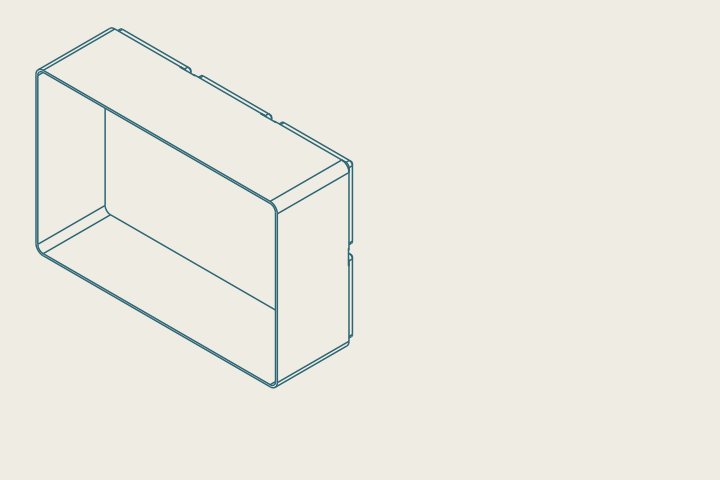
Gridfinity bin · example · press BUILD SOLID
SCROLL TO ZOOM · DRAG TO PAN
Gridfinity bin · drag to rotate · press BUILD SOLID
Comparing CAD tools for 3D printing
Different 3D printing jobs call for different CAD tools. Sculpting figurines needs a mesh tool, complex multi-part machines need desktop parametric CAD, and quick dimensioned shop parts are fastest with a deterministic text-to-CAD compiler.
| Tool type | Setup time | Exact mm dimensions | Output formats | Best 3D printing use case |
|---|---|---|---|---|
| Cad Bot (Compiled Text-to-CAD) | Zero install (browser) | Exact via OpenCascade compiler | STL (free), STEP, DXF, DWG | Brackets, mounts, gears, Gridfinity, clips |
| Tinkercad | Zero install (browser) | Basic primitive alignment | STL, OBJ, GLTF (no STEP) | Beginner visual block building |
| Fusion 360 / FreeCAD | Desktop install + sketch training | Full parametric constraints | STEP, STL, 3MF, native | Multi-part assemblies & custom housings |
| AI 3D Mesh Generators | Browser | Approximate visual proportions | GLB, OBJ, STL | Figurines, miniatures, organic decor |
Built-in printability checks on every build
- Watertight manifold check: verifies the exported STL mesh is closed before you slice it in Cura, PrusaSlicer, OrcaSlicer, or Bambu Studio.
- 0.8 mm minimum wall threshold: catches walls too thin for a standard 0.4 mm nozzle instead of handing you a broken print.
- 45° overhang warning: flags steep undersides (ignoring build-plate faces) so you know where to inspect supports in your slicer.
- Free dimension sliders: tighten a bore or thicken a wall by 0.2 mm after a test print without spending another generation.
Popular 3D-printable part generators
Jump straight into preloaded templates for Gridfinity bins & baseplates, involute spur gears, L-brackets, mounting plates, electronics project boxes, cable clips, filament spool adapters, and NEMA 17 motor mounts—or browse all 1,500+ named parts. Need to convert a flat logo into a stencil or keychain? Use 2D to 3D, or read STL vs STEP vs 3MF and best AI 3D model generator for 3D printing.
CAD for 3D printing questions
What is the fastest CAD tool for 3D printing functional parts?
For single functional parts like brackets, enclosures, cable clips, spool adapters, spur gears, and Gridfinity bins, Cad Bot compiles a plain-English description into a watertight STL in seconds without installing desktop CAD software. For multi-part assemblies, Fusion 360 or FreeCAD remains better.
Does Cad Bot check if my 3D model is actually printable?
Yes. Every Cad Bot export runs an automated watertight-mesh check, estimates minimum wall thickness against a 0.8 mm threshold (two 0.4 mm nozzle perimeters), and flags undersides steeper than 45° from vertical while ignoring faces flat on the build plate.
Should I export STL or STEP for my 3D printer slicer?
Export STL when your dimensions are final because every slicer (Cura, PrusaSlicer, OrcaSlicer, Bambu Studio) loads STL natively. Export STEP when you want to tweak clearances or add cutouts in Fusion 360 or FreeCAD first, or slice STEP directly in modern slicers.
How much clearance should I add for 3D-printed holes and mating parts?
On a standard 0.4 mm FDM nozzle, add 0.2 to 0.4 mm diameter clearance for slip-fit bolt holes (for example, 5.3–5.5 mm for an M5 bolt) and 0.1 to 0.2 mm extra centre distance for meshing spur gears. Cad Bot sliders let you tune sizes for free after generating.
Is Cad Bot CAD for 3D printing free?
The free tier (1 without an account, then 1 per day once you sign in) downloads STL. STEP, DXF, DWG, SVG, and PDF, and outline upload, are on credit packs and Pro. Parameter edits are free.