Online CAD in your browser—no install, exact dimensions
Skip heavy desktop installers and license keys for everyday shop parts. Cad Bot compiles plain-English part descriptions into real OpenCascade B-rep solids right in your browser, with live dimension sliders and STEP, STL, DXF, and DWG exports.
Outline upload is on credit packs and Pro. Subscribe
1 free generation without an account, then 1 per day once you sign in. Parameter edits are always free.
STEP, shop drawings, and outline upload come with credit packs and Pro.
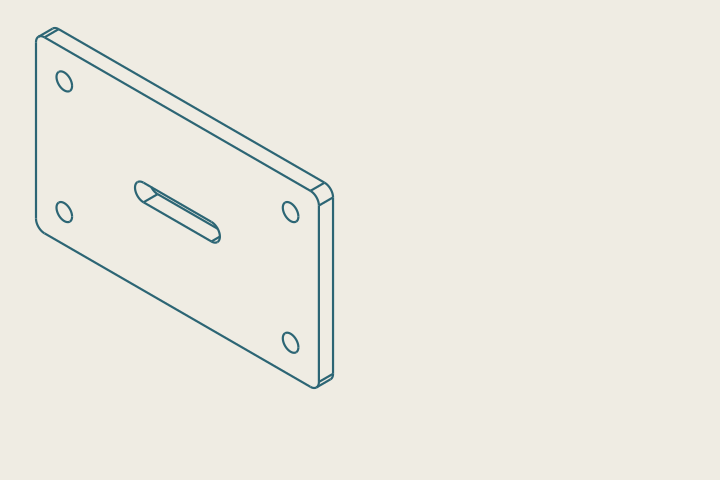
Mounting plate · example · press BUILD SOLID
SCROLL TO ZOOM · DRAG TO PAN
Mounting plate · drag to rotate · press BUILD SOLID
Browser-based CAD options compared
Web-based CAD tools vary widely in what they export and how long it takes to get a usable file. Use this quick matrix to pick the right online CAD workflow for your job.
| Browser CAD tool | Input workflow | Real B-rep STEP export | Automatic ISO drawings | Best fit |
|---|---|---|---|---|
| Cad Bot | Plain English + sliders + 2D outline | Yes (ISO 10303 STEP) | Yes (DXF, DWG, SVG, PDF) | Fast single shop parts, brackets, gears, prints |
| Onshape | Full sketch & feature tree | Yes | Manual drawing sheets | Full assemblies & team engineering |
| Tinkercad | Drag-and-drop primitives | No (STL / OBJ mesh only) | No | Education & simple visual models |
What you can build in the browser
Cad Bot’s parts catalog covers structural sections (2020 T-slot extrusions, Unistrut channels, DIN rails), fasteners (ISO hex bolts, socket-head cap screws), drive components (spur gears, timing pulleys, flanged bushings), and 3D-printable enclosures. Every solid exports to STEP, STL, DXF, and DWG.
Want to compare our compiler against desktop CAD or other AI tools? Read text to CAD vs traditional CAD, AI CAD generator, or CAD for 3D printing.
Online CAD questions
How does Cad Bot work as an online browser CAD tool?
Cad Bot runs entirely in your web browser with zero downloads or GPU plugins. You type a part description in plain English, Cad Bot compiles a real OpenCascade B-rep solid server-side, displays an interactive 3D and 3-view preview, and exports STL, STEP, DXF, and DWG.
Does this web-based CAD tool run on Chromebooks, Macs, and tablets?
Yes. Because OpenCascade geometry compilation happens on Cad Bot’s server rather than your local CPU, the online CAD workspace runs smoothly on Windows, macOS, Linux, and Chromebooks in any modern browser without installing desktop CAD packages.
How does Cad Bot compare to Onshape or Tinkercad in the browser?
Onshape is a full parametric browser CAD suite for multi-part assemblies and complex surfacing, while Tinkercad is a visual block editor for basic meshes. Cad Bot sits in the fast lane for single dimensioned mechanical parts: one sentence generates STEP, STL, and ISO shop drawings.
Are my generated CAD files stored permanently online?
No. Generated CAD files and prompts are retained for 30 days so you can revisit recent builds, then automatically purged from storage. Uploaded DXF/SVG/image outlines are not stored after tracing. See the privacy policy for exact retention details.
Is Cad Bot online CAD free to try?
The free tier (1 without an account, then 1 per day once you sign in) downloads STL. STEP, DXF, DWG, SVG, and PDF, and outline upload, are on credit packs and Pro. Parameter edits are free.