Electronics project box generator (STL, STEP, DXF)
Enter the outer width, depth, height, and wall thickness of your enclosure. Cad Bot builds an open-top electronics project box checked for watertight mesh and minimum wall thickness.
1 free generation without an account, then 1 per day once you sign in. Parameter edits are always free.
STEP, shop drawings, and outline upload come with credit packs and Pro.
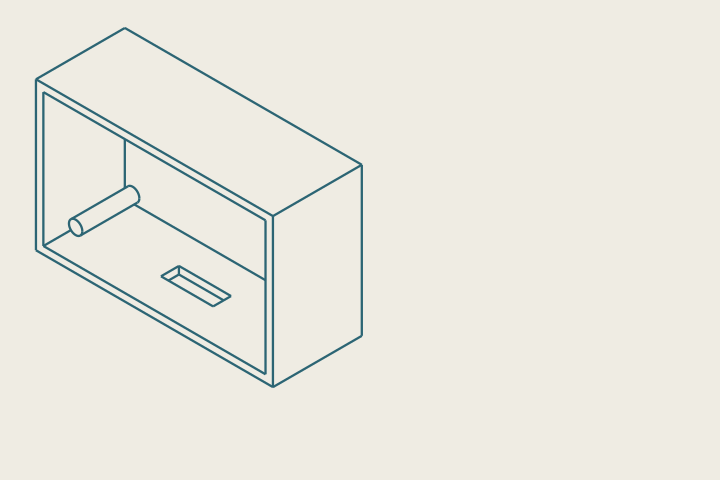
Electronics Project Box · example · press BUILD SOLID
SCROLL TO ZOOM · DRAG TO PAN
Electronics Project Box · drag to rotate · press BUILD SOLID
Key dimensions and prompt parameters
Every millimetre value in your sentence goes straight into Cad Bot’s deterministic OpenCascade compiler. Start with the preloaded prompt above, change any size, or adjust dimensions afterward with free slider rebuilds.
| Parameter | Example value | Notes |
|---|---|---|
| Outer dimensions | 80 × 50 × 30 mm | Width × depth × height in millimetres |
| Wall thickness | 2.5 mm (min 0.8 mm) | 2.0–3.0 mm recommended for rigid FDM enclosures |
| Printability check | Watertight + 0.8 mm min wall | Verified automatically before download |
| CAD editing | STEP export available | Add USB, switch, or vent cutouts in Fusion / FreeCAD |
3D printing and CAD export notes
Print open-top project boxes base-down with zero supports. A 2.4–2.5 mm wall slices cleanly into six 0.4 mm perimeters with no gap-fill jitter.
Every build exports STL for 3D printing (free tier), plus STEP for Fusion 360 / SolidWorks / FreeCAD and an ISO A4 three-view DXF / DWG shop drawing on credit packs and Pro. Not sure which file to pick? Read STL vs STEP vs 3MF.
Related CAD part generators
- Raspberry Pi Case generator — Enclosures & Cases
- Cooling Fan Plate generator — Enclosures & Cases
- Cable Clip generator — Desk & Workshop Prints
- Pegboard Bin generator — Desk & Workshop Prints
- Browse all 1,500+ named parts in the compiler catalog
- AI CAD generator · Text to CAD home
Electronics Project Box generator questions
How thick should I make walls on a 3D-printed project box?
For a 0.4 mm nozzle, 2.0 mm to 2.5 mm walls give a rigid electronics project box without wasting filament. Cad Bot checks every enclosure against a 0.8 mm minimum wall threshold before exporting the STL.
Can I add cutouts for USB ports or switches to the project box?
You can describe simple holes on a face in your prompt or download the STEP solid (on credit packs or Pro) to place exact PCB standoffs, snap lids, and connector cutouts in Fusion 360 or FreeCAD.
Is the electronics project box generator free?
The free tier (1 without an account, then 1 per day once you sign in) downloads STL. STEP, DXF, DWG, SVG, and PDF, and outline upload, are on credit packs and Pro. Parameter edits are free.