Free
1 / day with an account
- Text to CAD, one build a day
- First generation needs no account
- Download STL. Drawing is on screen only
- No STEP, DXF, DWG, SVG, or PDF
- No outline upload
- Slider edits free
Describe a part in plain English. This text to CAD AI tool builds an exact 3D solid and gives you STL, STEP, and an ISO shop drawing as DXF and DWG. The sizes you type are the sizes you get.
Free: 1 build a day with an STL download. STEP and shop drawings from USD 9.00, no subscription. Compare plans
Outline upload is on credit packs and Pro. Subscribe
1 free generation without an account, then 1 per day once you sign in. Parameter edits are always free.
STEP, shop drawings, and outline upload come with credit packs and Pro.
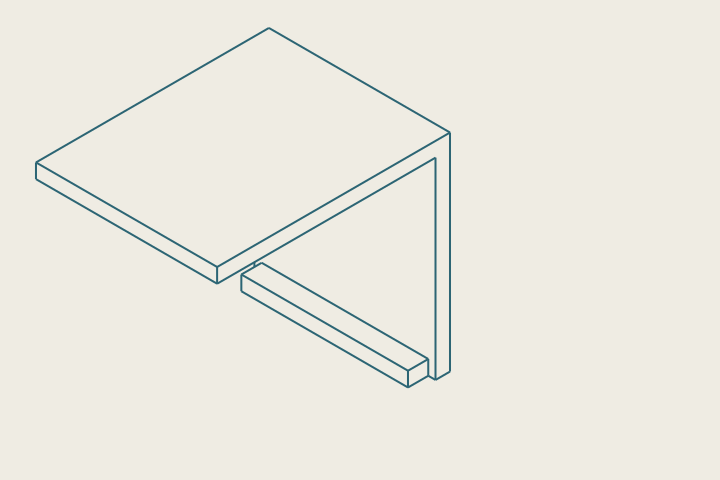
Phone stand · example · press BUILD SOLID
SCROLL TO ZOOM · DRAG TO PAN
Phone stand · drag to rotate · press BUILD SOLID
Pick one to load it above, change the sizes in the sentence, and build your own. Browse 1,500+ named parts for more.
Free keeps the STL from one text-to-CAD build a day. The drawing stays on screen. STEP, DXF, DWG, SVG, PDF, and outline upload open on a plan.
1 / day with an account
Pay once. Credits last 12 months.
USD 39.90 per month
One generation is one new description or one revision. Dragging a dimension does not count. Subscription generations do not roll over. Credit packs last 12 months. Cancel or change the card in the Waffo customer portal.
You write one or two sentences. The AI reads the description and fills a strict part specification; a deterministic geometry compiler then builds a real B-rep solid with OpenCascade. Because the numbers go straight from your sentence into the compiler, the dimensions you type are the dimensions you get — no AI guessing on hole spacing. If you name a part without sizes (a standard flange, a mounting plate), Cad Bot still builds a starting solid with assumed dimensions — then use the sliders. See what is text to CAD and compiler facts.
Every part exports as STL for 3D printing, STEP for editing in Fusion 360, SolidWorks or FreeCAD, an ISO DXF shop drawing, and an AutoCAD DWG of the same sheet. OBJ exports of the same model are on the way. Starting from a drawing or a logo instead? Convert SVG to STL, PNG to STL, or any outline with 2D to 3D.
Every part comes with an ISO A4 third-angle shop drawing, a watertight-mesh check, an estimated minimum wall, a 45° overhang warning, and live sliders to fix a dimension without re-generating. The parts catalog lists every name in English and Chinese, with example prompts and the names Cad Bot refuses rather than fakes: helical, bevel, and worm gears, nyloc nuts, Phillips screws, pop rivets, 45° elbows, Heli-Coil inserts, and assemblies.
Other text to CAD AI tools build more freely; Cad Bot builds fewer things and gets the sizes you typed exactly right, with a shop drawing. Side-by-side pages: Cad Bot vs TextoCAD, Cad Bot vs BuildCAD, Cad Bot vs Lovcad.
Searching for SHX fonts, LISP find-and-replace, or editing annotations on a 2D drawing? That is a different job — Cad Bot does not touch existing DWG drawings. This tool turns a plain-English description into a new 3D CAD file and an ISO shop drawing. Cad Bot is the deterministic CAD compiler at aicadbot.com. Longer comparison: vs traditional CAD and vs AI mesh.
A sentence or short prompt becomes a 3D CAD model — not text objects on a 2D drawing. You describe the part; Cad Bot builds the solid. See the What is text to CAD guide.
Yes. The AI reads your sentence and fills a strict part specification; a deterministic compiler builds the solid. That makes it narrower than free-form generators but exact on the sizes you type. See the comparisons with TextoCAD, BuildCAD and Lovcad.
STL for printing, STEP for CAD editing, and an ISO A4 third-angle shop drawing as DXF and DWG (also SVG and PDF). DWG is AutoCAD R2000; newer AutoCAD opens it and may save-as a later version. OBJ will follow.
Yes, by construction. The AI only reads your description; the geometry is built by a deterministic compiler, so every number you type lands in the model exactly.
No. You describe the part. You download a file.
Your first 1 generation needs no account. After that, signing in gives you 1 a day, and the download is STL. Credit packs and Pro add STEP, shop drawings (DXF, DWG, SVG, PDF), and outline upload. Parameter edits stay free.
Plates, brackets, structural sections, fasteners, shafts, pipe fittings, spur gears, and the rest of the compiler catalog. Helical, bevel, and worm gears, nyloc nuts, Phillips screws, pop rivets, 45° elbows, Heli-Coil inserts, and assemblies are refused. Tapped holes stay tap-drill size. The parts catalog lists every in-scope name (English and Chinese) and every refused name.
Each export is checked for a watertight mesh, an estimated minimum wall (0.8 mm, not a FEM pass), and faces steeper than 45° from vertical (build-plate faces ignored). Overhangs warn; they do not fail the build. Inspect supports in your slicer.
Name the part anyway. Cad Bot builds a starting solid with assumed dimensions (shown next to the download bar and on the drawing NOTES). Drag the sliders to match the real values — that rebuild is free and does not call the AI. Cars, assemblies, and helical/bevel/worm gears are still refused.